✓ Free ✓ No obligation ✓ All Major Brands Compared

Compare
3 Printer Quotes
In 2 Minutes

Six Quick questions and we match you to up to three printer and copier suppliers who quote against each other. Every major brand, buy or lease, Australia-wide.

50,000+
Australian businesses helped
10 years
Comparing office print equipment
3 max
Suppliers contact you, never more than three

All brands covered

How it works

Most businesses take one quote and hope it’s fair. Comparing three is what moves the price.

STEP 01

Tell us what you print

Six questions: new or upgrade, team size, buy or lease, where it’s going. No jargon and no spec sheets needed.

ABOUT 2 MINUTES

STEP 02

We match your suppliers

A specialist confirms your requirements, then matches you to up to three suppliers who service your area and want work at your volume.

USUALLY WITHIN 1 BUSINESS HOUR

STEP 03

Compare and decide

Quotes arrive laid out the same way: device, term, cost per page, inclusions so you’re comparing like for like. Choose one or none.

NO COST, NO OBLIGATION

Every major brand, one comparison

We’re not tied to a single manufacturer, so the three quotes you get can span different brands entirely and that’s usually where the saving is.

STEP 01

Tell us what you print

Six questions — new or upgrade, team size, buy or lease, where it’s going. No jargon and no spec sheets needed.

STEP 02

We match your suppliers

A specialist confirms your requirements, then matches you to up to three suppliers who service your area and want work at your volume.

USUALLY WITHIN 1 BUSINESS HOUR

STEP 03

Compare and decide

Quotes arrive laid out the same way — device, term, cost per page, inclusions — so you’re comparing like for like. Choose one, or none.

NO COST, NO OBLIGATION

Which machine you actually need

Most businesses over-buy because a dealer quoted the machine they had in stock. Here’s what each class is for, so you can tell whether a quote makes sense before you sign it.

Class What it’s for Suits Watch for
A3 multifunction copier
The office workhorse
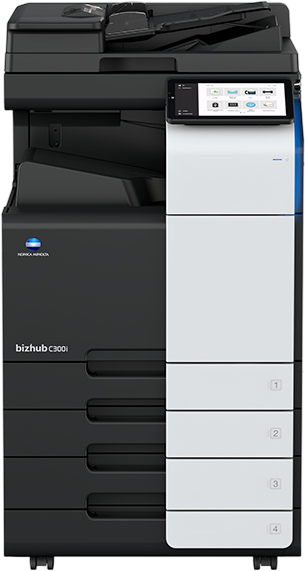
Prints, copies, scans and finishes at A3 and A4, with trays that hold reams rather than sheets and a service agreement behind it. This is what people mean by “the photocopier”. 5+ people, roughly 1,000 pages a month and up Finishing options you’ll never use, stapling, booklet making and hole punching all add to the monthly figure
A4 office printer
Desktop or workgroup
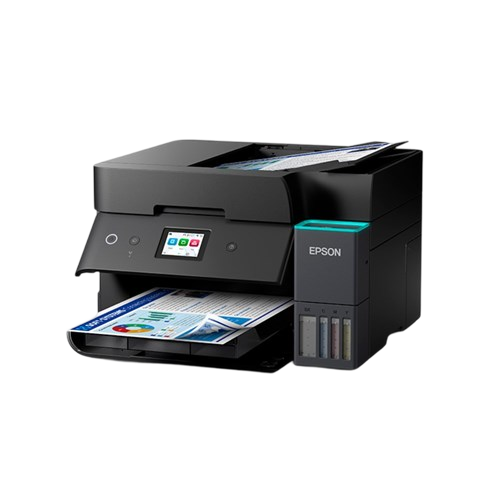
Cheaper to buy and small enough to sit on a bench, but cost per page climbs as volume rises. 1–4 people, light printing, or a second device on another floor Consumable cost, a cheap machine with expensive toner can cost more over three years than a leased A3
Production & wide format
Specialist
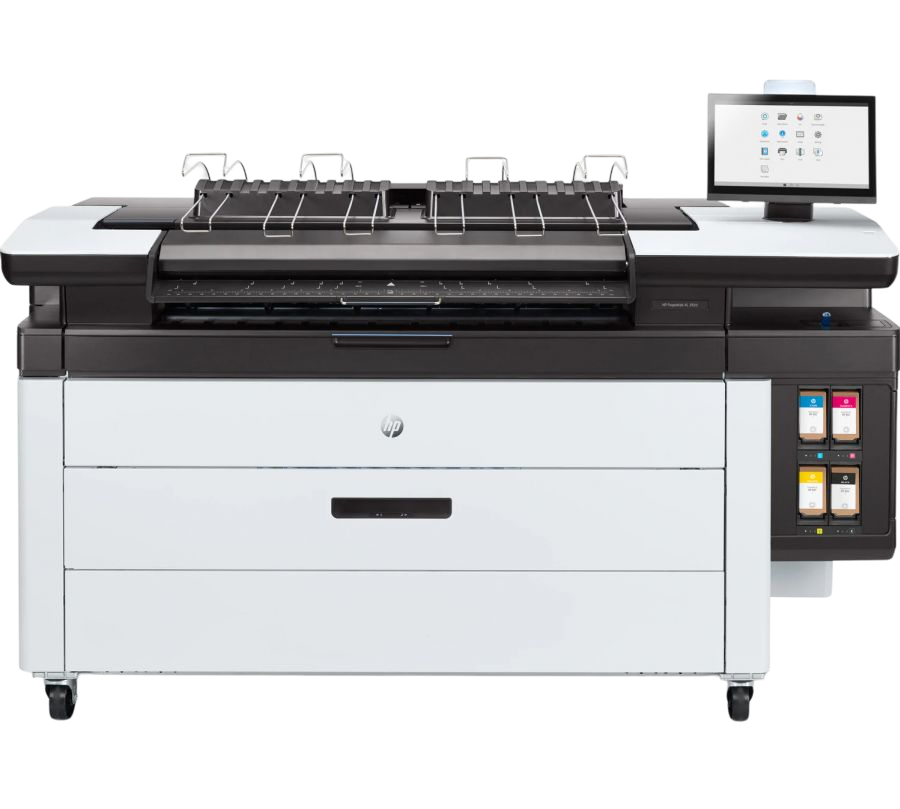
Roll-fed wide format for plans, drawings and signage, or production devices for an in-house print room. Architects, engineers, print rooms, high-volume in-house work Fewer suppliers cover it, so comparing quotes matters more here, not less

What businesses actually pay

Nobody else in this category will show you a number before you hand over your details. Here’s the range we see, so you can sanity-check any quote you’re holding right now.

Device speed Typical lease / rental Typical purchase Cost per page
25 – 30 ppm $125 – $180 /mth $4,500 – $8,000 Mono 0.8–1.1c
Colour 8–11c
30 – 40 ppm $165 – $260 /mth $7,000 – $13,000 Mono 0.8–1.1c
Colour 8–11c
40 – 50 ppm $240 – $380 /mth $11,000 – $20,000 Mono 0.6–0.8c
Colour 7–9c
50 – 60 ppm $330 – $520 /mth $16,000 – $30,000 Mono 0.6–0.8c
Colour 6.5–8.5c
60+ ppm $480 – $900+ /mth $24,000 – $50,000+ Mono 0.6–0.7c
Colour 6–8c

Indicative only. Ranges reflect quotes we’ve seen for business-grade A3 multifunction devices and vary with brand, finishing options, contract term, service inclusions and colour ratio. Your quotes will be specific to your requirements.
You’ll be in good company

Organisations that have used Comparison Advantage to compare suppliers.

Ten years doing this one thing

We don’t sell hardware and no brand owns us. We sit between you and the suppliers, which is why the comparison is honest.

Three quotes, hard cap

Your details go to a maximum of three matched suppliers. Never sold on, never a call-centre free-for-all.

Independent of the brands

No brand pays for priority. If Kyocera suits your volume better than Canon, that’s what you’ll hear.

Real people, business hours

An Australian-based specialist checks your requirements before anything goes out, so suppliers quote the right machine first time.

Your data stays contained

Used to prepare your quotes and nothing else. Ask us to delete it at any time and we will.

One dealer, or three competing

The difference isn’t the machine. It’s what a supplier does when they know someone else is quoting.

Calling one dealer Comparing through us
Brands you see   Whatever that dealer carries   Every major brand considered
Pricing pressure   None — you’re the only bidder in the room   Up to 3 suppliers know they’re being compared
Comparing the numbers   Different formats, cost per page buried   Same structure, like for like
Time it takes you   Hours of calls and follow-ups   One 2-minute form
Cost to you   Your time   Free — suppliers pay to be matched

What businesses tell us

Ten years and 50,000+ businesses, from single-site offices to national operations.

Questions worth asking first

Nothing. Suppliers pay us to be matched with businesses that fit what they do well, so the comparison is free to you and there’s no obligation to accept any quote.
Leasing spreads the cost into a predictable monthly figure and usually bundles a service agreement, which suits most offices. Buying can work out cheaper over the long run if your volume is steady and you’re comfortable arranging service separately. Your quotes can show both structures so you can compare directly.
It depends on your print volume and how long you keep the device. Leasing avoids the upfront outlay and includes service; buying avoids finance costs. Seeing both side by side in your quotes is the quickest way to tell which suits your numbers.
No. Many businesses start comparing six to twelve months before their lease ends, and some suppliers will structure an upgrade that accounts for your remaining payments. It’s worth knowing your options early.
Often, yes. Suppliers can quote an upgrade that rolls your existing arrangement into a new agreement. Tell us what you’re running and what’s left on the term, and the quotes will reflect it.
All the major brands — Ricoh, Toshiba, Fuji Film, Konica Minolta, Canon, OKI, Sharp, Epson, HP, Kyocera and Lexmark among them. We’re not tied to any manufacturer.
The indicative ranges on this page are a good starting point. For numbers specific to your volume and requirements, the two-minute form is the fastest way — and the quotes carry no obligation.
A specialist usually confirms your requirements within one business hour, and quotes typically arrive within 24 hours.
No. Quotes are free and there’s no obligation. Compare them, use them as a benchmark, choose one — or none.
They’re used to prepare your quotes and nothing else. Your details go to a maximum of three matched suppliers, and you can ask us to delete them at any time.

Questions worth asking first

Nothing. Suppliers pay us to be matched with businesses that fit what they do well, so the comparison is free to you and there’s no obligation to accept any quote.
Leasing spreads the cost into a predictable monthly figure and usually bundles a service agreement, which suits most offices. Buying can work out cheaper over the long run if your volume is steady and you’re comfortable arranging service separately. Your quotes can show both structures so you can compare directly.
It depends on your print volume and how long you keep the device. Leasing avoids the upfront outlay and includes service; buying avoids finance costs. Seeing both side by side in your quotes is the quickest way to tell which suits your numbers.
No. Many businesses start comparing six to twelve months before their lease ends, and some suppliers will structure an upgrade that accounts for your remaining payments. It’s worth knowing your options early.
Often, yes. Suppliers can quote an upgrade that rolls your existing arrangement into a new agreement. Tell us what you’re running and what’s left on the term, and the quotes will reflect it.
All the major brands — Ricoh, Toshiba, Fuji Film, Konica Minolta, Canon, OKI, Sharp, Epson, HP, Kyocera and Lexmark among them. We’re not tied to any manufacturer.
The indicative ranges on this page are a good starting point. For numbers specific to your volume and requirements, the two-minute form is the fastest way — and the quotes carry no obligation.
A specialist usually confirms your requirements within one business hour, and quotes typically arrive within 24 hours.
No. Quotes are free and there’s no obligation. Compare them, use them as a benchmark, choose one — or none.
They’re used to prepare your quotes and nothing else. Your details go to a maximum of three matched suppliers, and you can ask us to delete them at any time.

Find out what you should be paying

Six questions. Up to three quotes. Then it’s your call.

FREE · NO OBLIGATION · ABOUT 2 MINUTES